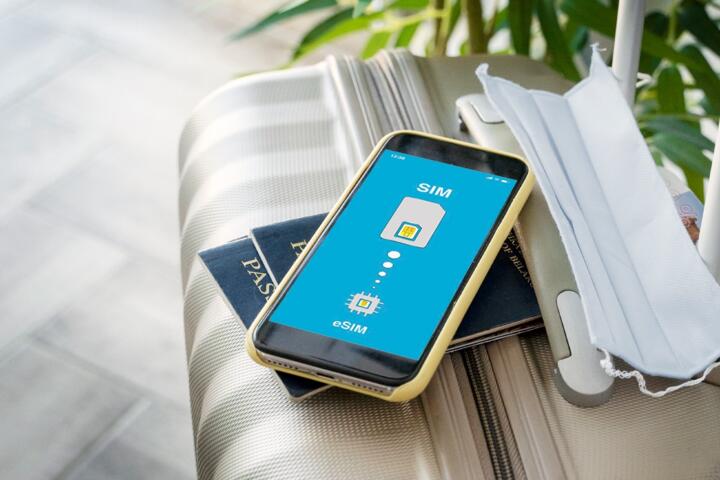
What An E-Sim Does
An e-SIM is a software-based SIM profile stored on your phone. Instead of inserting a plastic SIM card, you download or activate a carrier profile that contains the network credentials for a specific country or plan. Once active, your phone can register on the local mobile network and use mobile data, and in some cases SMS and voice, depending on the plan and your device.
For international travel, the practical effect is that you can get connectivity soon after arrival, often without visiting a shop. Example: you land in Spain, activate an e-SIM plan before you leave or during the first hours after landing, and then your phone connects to a Spanish network for data. If your plan includes SMS, you may also receive short codes used for banking or account verification, though many services now rely on app-based verification instead.
Provisioning usually happens through a QR code or an activation app. On many phones, you can manage multiple SIM profiles at once, so your home SIM can remain registered for calls while the e-SIM handles data. That split can reduce roaming charges, but it also means you must check which SIM is set for data and which one receives messages.
Main Problems Travelers Face
People often assume an e-SIM automatically works everywhere, then get stuck when the plan coverage does not match the places they actually visit. Coverage depends on the local carrier partners and the radio bands your phone supports. A plan that works in a city can fail in rural areas, on trains, or in buildings with weak signal.
Another common misunderstanding involves activation timing. Some e-SIM plans start their validity window immediately when you activate them, while others start when you first connect to the network. If you activate a plan weeks before departure, you may burn days before you even arrive. I’ve seen travelers lose a weekend because the validity timer started on activation (and the QR code was scanned on day one of a trip that began later).
Device compatibility also causes delays. Not every phone model supports e-SIM, and some models support e-SIM only in certain regions. Even when e-SIM is supported, the phone may need a carrier settings update to register properly. If your phone is locked to a carrier, the e-SIM profile can still work, but the behavior varies by manufacturer and region.
Finally, people mix up data connectivity with messaging and voice. Mobile data can work while SMS fails, or voice can be limited to specific apps or network features. Many travelers rely on messaging apps for day-to-day communication, but banks and government services may still require SMS for verification codes.
Solutions And Advice
Check Phone And Plan Fit
Start with a compatibility check: confirm your phone supports e-SIM and that it can store multiple SIM profiles. Then compare the plan’s coverage and services (data only vs data + SMS vs voice) with your needs. If you need SMS for account logins, choose a plan that explicitly includes it, and test it with a low-stakes service before you rely on it for banking.
Also verify whether the plan uses a local carrier partner in your destination. Some providers list partner networks; others describe coverage areas without naming carriers. If you travel to remote regions, look for coverage maps or user reports tied to specific areas, not just country-level claims.
As a small practical aside: on iOS 17.5 (released May 2024), the SIM settings screen shows which line is used for data and which line receives messages. That screen layout changes between iOS versions, but the logic stays the same.
Time Activation To Your Trip
Read the plan terms for when the validity period starts. If the timer starts at activation, scan and activate close to departure. If the timer starts at first network connection, you can activate earlier, but you still need to avoid accidental activation while testing at home.
Plan for a “first connection” moment. Wi‑Fi can mask problems because your phone may stay on Wi‑Fi until you switch data usage to the e-SIM. After activation, open a browser and confirm you can load a simple page over mobile data, not just on Wi‑Fi.
On Android, check the setting that chooses the SIM for mobile data. In my experience, the most common failure mode is “e-SIM is active” but mobile data is still routed through the home SIM or Wi‑Fi stays on.
Manage Data, Roaming, And Battery
Even with an e-SIM, your phone still performs network registration and periodic checks. That can increase battery use, especially when signal is weak. Turn off background downloads and reduce sync frequency if you notice rapid battery drain during the first day.
Set a data limit in your phone’s settings if your plan includes a fixed data allowance. Many phones show data usage per SIM profile, which helps you avoid accidental overages. If your plan is unlimited, still watch for fair-use policies; some providers throttle speeds after a threshold.
For travel days with lots of navigation, consider downloading offline maps before you leave. That reduces the chance that a temporary signal drop turns into a navigation failure.
Plan For SMS And Voice Needs
If you need SMS, confirm the plan includes it and test it early. A practical test is to request a one-time code from a service that supports SMS verification, then verify the code arrives on the e-SIM line. If it does not, you may need to switch your verification method to an authenticator app or email.
Voice calls vary widely. Some e-SIM plans support standard voice over the cellular network, while others rely on data-based calling apps. If you depend on phone calls for work, check whether the plan supports calling and whether it uses your phone’s dialer or a separate app.
For travel in the EU, note that roaming rules affect pricing for roaming on your existing SIM, but they do not automatically change what an e-SIM plan includes. Your e-SIM plan’s terms still govern data and messaging.
Case Examples
City Trip With Data-Only Plan
A couple traveling for five days to a major European city buys a data-only e-SIM plan. They activate the e-SIM at the airport, set it as the data SIM, and confirm web access within 10 minutes. On day three, they try to receive an SMS verification code for a ride-hailing account and discover the plan does not include SMS. They switch to an in-app login method and keep the e-SIM for data only.
The lesson is not that e-SIM failed; the plan matched their data needs but not their messaging needs. Their setup worked because they tested data early, then adjusted when SMS expectations didn’t match the plan.
Rural Region With Weak Coverage
A solo traveler uses an e-SIM plan for a two-week road trip that includes rural areas. In the first towns, mobile data works reliably. Outside the towns, the phone repeatedly searches for a network, which drains battery and causes intermittent connectivity. The traveler switches to offline navigation and downloads key documents before leaving coverage areas.
This scenario shows how coverage and radio conditions matter more than the SIM format. The e-SIM still registers on the network; it cannot create signal where the partner network does not reach.
Comparison Table And Checklist
| Option | What You Get | Common Failure Point | Best For |
|---|---|---|---|
| E-SIM | Digital profile for data, SMS, and sometimes voice | Validity timer or data/SMS mismatch with your needs | Travelers who want quick setup without a shop |
| Physical SIM | Carrier SIM inserted into the phone | Finding the right store and matching the SIM size | Phones without e-SIM support |
| Roaming On Home SIM | Use your existing plan abroad | Unexpected pricing or speed limits outside certain regions | Short trips with light data use |
Step-by-step checklist before you land:
- Confirm e-SIM support on your phone model and software version.
- Choose the right service type (data only vs data + SMS vs voice).
- Check validity rules for when the timer starts.
- Plan your activation window so you do not waste days.
- After activation, test mobile data by loading a page on cellular, not Wi‑Fi.
- Verify messaging needs if you rely on SMS for logins.
- Set the data SIM in your phone settings and watch battery use on weak-signal days.
Common Mistakes
Scanning the QR code too early is a frequent issue. If the provider starts the validity period at activation, you can lose time before you even travel. A second mistake is assuming “active e-SIM” means “mobile data is routed correctly.” Phones can keep using Wi‑Fi or the home SIM for data until you change settings.
Some travelers also ignore SMS limitations. A data-only plan can still load maps and email over Wi‑Fi, so the problem may not appear until a verification code is needed. Another practical error is forgetting to disable background updates on the e-SIM line; a large app update can consume a data allowance faster than expected.
Finally, people troubleshoot by restarting the phone without checking the network selection and SIM routing settings. A restart can help, but the more direct fix is to confirm the e-SIM is selected for mobile data and that the phone is not stuck on an old network preference.
FAQ
Do I Need Wi-Fi To Set Up An E-SIM?
Most e-SIM activations require an internet connection to download the profile or complete activation. Many travelers use Wi‑Fi at home or at the airport, then switch to cellular once the profile is active.
Will An E-SIM Work For Calls And SMS?
Some plans include SMS and voice, while others are data-only. Your phone can show the e-SIM as active even when SMS or voice features are not included in the plan.
How Long Does Activation Take?
Activation time varies by provider and network conditions. Many users complete activation within minutes, but you should plan for delays and test connectivity soon after arrival.
Can I Keep My Home SIM While Using E-SIM?
Yes, many phones support multiple SIM profiles at once. You can keep your home SIM for calls while routing mobile data through the e-SIM, but you must set the correct data line in settings.
What Happens If My Phone Is Not E-SIM Compatible?
If your phone model does not support e-SIM, you cannot install an e-SIM profile. In that case, a physical SIM or roaming on your existing plan are the practical alternatives.
Author's Insight
E-SIMs change the delivery method of mobile credentials, not the physics of radio coverage. That distinction matters when you plan for rural travel, underground transit, or buildings with weak signal. The most reliable approach is to treat e-SIM setup as a small checklist: confirm plan features (data vs SMS vs voice), time activation to avoid wasted validity, and test cellular data immediately after activation.
Phone settings also drive outcomes. Data routing, message line selection, and background app behavior can make the same e-SIM plan feel “broken” or “fine,” depending on how the phone is configured.
If you need SMS for account access, plan for a backup login method such as an authenticator app, since some e-SIM plans do not include SMS.
Key Takeaways
- An e-SIM stores carrier credentials on your phone, enabling mobile connectivity without a physical SIM swap.
- Coverage and phone compatibility determine performance more than the e-SIM format itself.
- Validity timing and SIM routing settings cause many avoidable problems.
- Data-only plans can still work well, but SMS and voice require plan-specific support.
- Test cellular data and any SMS-dependent login early, then adjust your setup before you rely on it.