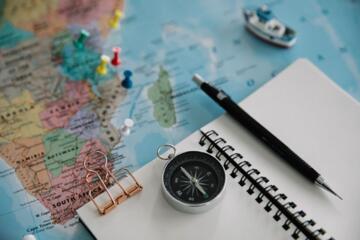
Spatial Trip Design
Modern travel planning has moved beyond simply looking up directions; it is now about "spatial layering." This involves overlaying logistical data—like hotel locations and transit hubs—with experiential data, such as restaurant reviews and historical landmarks. By visualizing your trip geographically, you identify clusters of activity that a traditional chronological list would miss.
For example, a traveler visiting Tokyo might list "Shibuya Crossing" and "Meiji Jingu" for day one. On a map, you quickly see that the Yoyogi Park area connects them, allowing you to add a scenic walk that avoids an unnecessary subway transfer. Data shows that travelers using integrated mapping tools save an average of 1.5 to 2 hours of transit time per day.
According to recent industry trends, over 70% of travelers now prefer "visual itineraries" over traditional PDFs. This shift is driven by the ability to access real-time data, such as live traffic updates on Waze or "busy-ness" indicators on Google Maps, which helps in making audible calls when a popular site is overcrowded.
Digital Planning Traps
The most frequent mistake is "point-to-point blindness." Travelers pin twenty different locations across a city like Paris but fail to account for the actual walking or transit time between them. They see a 2-mile distance and assume a 10-minute trip, ignoring the reality of cobblestone streets or Parisian metro transfers.
Another critical error is total dependence on cloud connectivity. Relying on a live 5G connection in the mountainous regions of Switzerland or the basement cafes of Seoul often leads to "navigation blackout." When your map fails to load, the itinerary stalls, leading to stress and wasted time in expensive taxis.
Lastly, many fail to utilize "layers" effectively. Mixing "must-see" landmarks with "maybe" coffee shops in a single color-coded mess creates visual noise. This leads to decision paralysis when you are actually on the ground, as you cannot distinguish between a high-priority museum and a low-priority photo op.
Mapping Ecosystems
Leveraging Custom Layers for Logical Grouping
To build a high-functioning itinerary, use Google My Maps to create distinct layers. Dedicate Layer 1 to "Accommodations & Logistics," Layer 2 to "Primary Attractions," and Layer 3 to "Dining & Nightlife." This separation allows you to toggle visibility, focusing on what is relevant in the moment.
Utilizing Street View for "Pre-Arrival" Scouting
Expert planners use Google Street View or Apple Maps Look Around to virtually walk the route from a train station to their hotel. This helps identify landmarks, ensuring you don't look like a confused tourist with a heavy suitcase. It also reveals steep inclines or stairs that a 2D map won't show.
Optimizing Routes with Multi-Stop Plotting
Instead of searching for each destination individually, use the "Add Stop" feature to sequence your day. Tools like Route4Me or the native multi-stop feature in Google Maps allow you to drag and drop destinations to find the most efficient path, reducing your carbon footprint and fuel costs if driving.
Integrating Crowd-Sourced Real-Time Data
Incorporate apps like Citymapper for urban environments. It provides "Best Carriage" data, telling you exactly where to stand on a subway platform to be closest to your exit. This level of granular mapping can shave 10 minutes off every transit leg in cities like London or New York.
Offline Synchronization and Caching
Always download "Offline Maps" for a 50-mile radius around your destination. On Google Maps, you can select a specific area to save locally. For hikers, AllTrails or Gaia GPS offer superior offline topographic maps that function via GPS without needing a cellular signal, which is a vital safety precaution.
The Power of "Saved Places" and Labels
Use the "Label" feature to add personal notes to map pins, such as "Reservation at 7 PM" or "Use the side entrance." This turns your map into a dynamic notebook. Apple Maps recently improved its "Guides" feature, allowing you to curate these lists and share them with travel partners in real-time.
Efficiency Case Studies
Case Study 1: The Corporate Retreat in Lisbon
A mid-sized tech firm planned a 3-day retreat for 40 employees. Initially, they used a shared Google Doc, leading to groups getting lost and missing workshop starts. By switching to a Pro My Maps integration, they plotted "Meeting Points," "Lunch Zones," and "Hotel." Result: 100% on-time attendance and a 30% reduction in transport expenses by identifying walkable routes between venues.
Case Study 2: The Solo Backpacker in Vietnam
A traveler navigating from Hanoi to Ho Chi Minh City used Maps.me for its superior offline trail data. By pinning local "hidden" homestays found on forums, they bypassed overpriced tourist hubs. Result: The traveler spent 40% less than the average budget and discovered three "untouched" waterfalls not listed on major travel blogs.
Platform Strategy
| Feature | Google Maps | Citymapper | Maps.me |
|---|---|---|---|
| Best For | General Discovery | Urban Transit | Offline / Remote |
| Customizing | High (My Maps) | Low | Moderate |
| Offline | Good | Poor | Excellent |
| Live Data | Leading | Exceptional | Limited |
Sidestep Blunders
One common mistake is ignoring the "Last Updated" date of a business on a map. Always cross-check a restaurant’s hours on their official Instagram or website, as map data can lag. To avoid this, look at the "Recent Photos" section in the map app; if the last photo was from two years ago, the place might be closed.
Another error is failing to calibrate your compass. On many smartphones, the blue dot might point the wrong way, leading you three blocks in the wrong direction before you realize it. Always perform the "Figure 8" motion with your phone to calibrate the sensors before starting a walking route.
FAQ
Can I use these maps without an expensive international data plan?
Yes. By using the "Offline Maps" feature while on hotel Wi-Fi, you can navigate, search for addresses, and use GPS without consuming any mobile data. Only real-time traffic and satellite views will be unavailable.
What is the best way to share an itinerary with a group?
Create a "Shared List" or a "Collaborative Map." In Google Maps, you can send an invite link that allows others to add their own pins, ensuring everyone’s interests are represented in the master plan.
How do I estimate travel time accurately?
Always set your "Depart At" or "Arrive By" time in the app. Mapping algorithms change significantly based on whether you are traveling at 10 AM on a Tuesday versus 5 PM on a Friday.
Are niche maps better than major platforms for hiking?
Generally, yes. While Google Maps is great for roads, it lacks topographic detail. Use Komoot or Outdooractive for specialized trail data, elevation profiles, and surface types (gravel vs. paved).
How do I save battery while using GPS all day?
Turn off "Satellite View" and close other background apps. GPS is a battery hog because it constantly pings satellites. Using a static offline map with your screen brightness dimmed can extend battery life by hours.
Author’s Insight
In my ten years of professional travel consulting, I have found that the best "secret" spots are found by looking at the gaps on a map. Most tourists follow the blue lines of suggested routes. I intentionally look for green spaces or architectural clusters that have no pins or reviews—this is where the authentic magic happens. My top tip: always keep a physical backup or a screenshot of your map's "Key Locations" just in case your hardware fails.
Summary
Building the perfect itinerary is an exercise in spatial organization. By utilizing layers, offline caching, and real-time transit data, you transform a map from a simple directory into a powerful engine for discovery. Start by plotting your "anchor" locations—hotels and flight hubs—and then build clusters of activity around them to minimize travel time. Your next step is to open a new custom map for your upcoming destination and begin layering your "must-see" spots today.